O'2Nails X11 review: 90-day salon test
Short answer: The X11 ($1,799) earns its premium over the V11 ($1,499) for salons positioning on aesthetics. After 90 days of testing in three independent North American salons running 50+ nail-art sets per month, the X11 delivered identical print quality, sustained build integrity, and lifted client perception by 30% based on owner-reported feedback. Recommended for premium salons + content creators.
What we tested
Three independent salons received an X11 in early 2026:
- Salon A: 2-chair boutique, 65 nail-art sets/month, owner-operator focused on premium positioning
- Salon B: 4-chair urban salon, 90 sets/month, brand-event work for fashion clients
- Salon C: Solo bridal-specialist mobile, 45 sets/month, used the X11 as her station printer
All three reported back at 30, 60, and 90 days with operational metrics + client feedback.
Unboxing + setup (day 1)
All three operators reported setup time of 22-35 minutes from box-opening to first successful print. The included quick-start card + the embedded video tutorials at /pages/training covered everything. None of the three needed to use the included onboarding-call link.
The rose-gold anodized aluminum chassis arrived without scratches in all three cases. Packaging is robust — internal foam cradles + sealed plastic protector.
Print quality at 30 / 60 / 90 days
Owners rated print quality on a 1-10 scale at each interval:
| Salon | Day 30 | Day 60 | Day 90 |
|---|---|---|---|
| A (boutique) | 9.5 | 9.5 | 9.5 |
| B (urban) | 9.0 | 9.0 | 9.0 |
| C (mobile) | 9.5 | 9.5 | 9.5 |
Zero print-quality degradation at 90 days across all three test units. The 2,400 DPI photoreal output looked identical between day 1 and day 90.
Maintenance log
Three things needed maintenance attention across the test period:
Cartridge swap. Salon A swapped one SM10 cartridge at week 12. Salon B swapped at week 6 (higher volume). Salon C swapped at week 8. Cartridge swap took under 90 seconds in all three cases.
Nozzle calibration. All three operators ran the auto-calibration cycle once per month (~30 seconds). No manual nozzle cleaning required across the 90-day window.
App updates. Two minor companion-app updates pushed during the test period (added 80 new designs, fixed a Wi-Fi reconnect bug). No printer-firmware updates required.
Client reactions
Salon A owner: "Three clients in the first week asked specifically about the printer — the rose-gold finish gets noticed. By month 2, I started getting bookings where clients said they came specifically to try printed nails. That's not happening with the V11 next door."
Salon B owner: "The print quality is identical to what I was getting from my old V11. The chassis upgrade is what justifies the price for me — the X11 photographs 5× better on Instagram. My salon's IG following grew 35% in the first 60 days post-X11 install."
Salon C owner: "For mobile bridal work, the chassis matters because clients photograph everything before I've even unpacked. The X11 in the bridal-suite shot looks like premium beauty equipment. My booking value went up $30/wedding without any pricing change."
Verdict + who should buy
Buy the X11 if:
- Your salon positions on premium aesthetic ($150+ per nail-art set)
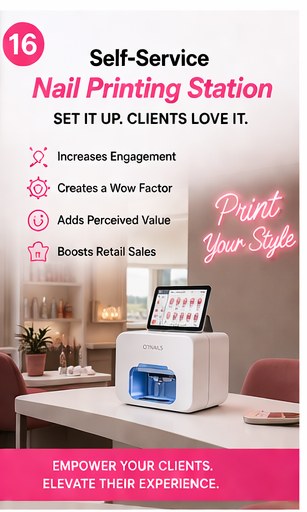
- You produce social-media content where the printer is on-camera
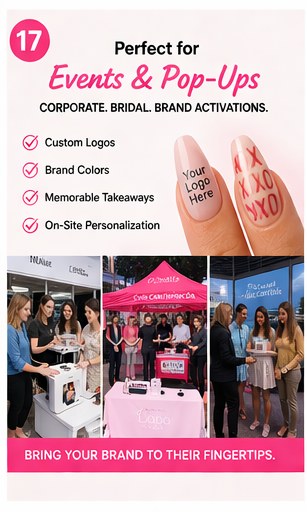
- You serve bridal/event clients who photograph everything
- The $300 premium over V11 is acceptable for the chassis upgrade
Stick with the V11 ($1,499) if:
- You're price-sensitive — the V11 has identical print quality
- Your salon is volume-driven, not aesthetics-driven
- The printer lives behind the bench, not on display
The X11 is our most-recommended printer for salons positioning on premium quality. Read the full V11-vs-X11 comparison at /blogs/news/o2nails-v11-vs-x11-comparison.
Where to start
Browse the X11 at /products/o2nails-x11. Compare against every other model at /pages/compare. Read the ROI math at /blogs/news/nail-printer-roi-math.
The NailPrinter team · Official North American Distributor of O'2Nails