In the fast-paced environment of a modern nail salon, time is your most valuable asset. When you invest in a professional nail printer from NailPrinter.ca, you are investing in the ability to cut nail-art time by 80% and charge premium prices for intricate designs. However, like any high-performance technology, your O'2Nails machine requires consistent care to deliver flawless results day in and day out. Whether you are operating the mobile-friendly H1 or the flagship X12.5 wall-mount powerhouse, a structured maintenance routine is essential. This guide provides a comprehensive monthly checklist to keep your nail printer running smoothly, ensuring you never miss a beat—or a booking.
How Do You Clean a Nail Printer Print Head?
Cleaning the print head is the most critical step in your monthly maintenance routine to prevent ink clogs and maintain high-resolution designs.
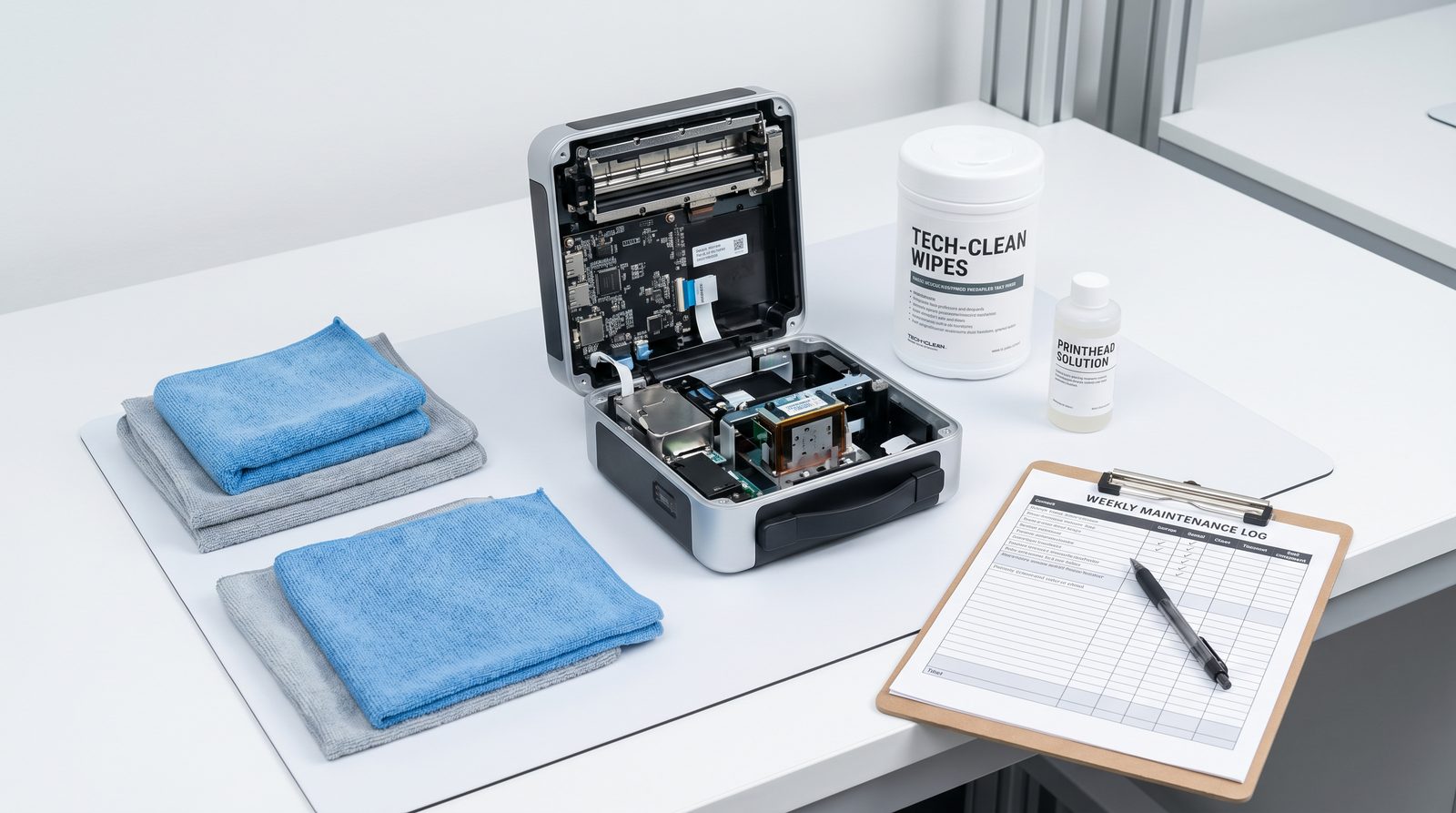
The print head is responsible for delivering the precise micro-droplets of ink that create the stunning 1,000+ designs available in the cloud library. Over time, residual ink can dry and cause minor blockages, leading to streaky or faded prints. To clean the print head, access the maintenance menu within the O'2Nails app and select the "Clean Print Head" function. This automated process flushes the nozzles. For a deeper clean, gently wipe the area around the cartridge with a lint-free cloth lightly dampened with distilled water. Never use harsh chemicals or alcohol directly on the print head, as this can cause permanent damage.
When Should You Replace the FM10 Ink Cartridge?
You should replace the FM10 ink cartridge when the O'2Nails app indicates low ink levels, which typically occurs after yielding approximately 450 printed nails.
Monitoring your ink levels is crucial for uninterrupted service. The FM10 cartridge is engineered for high efficiency, but pushing it beyond its capacity can result in poor print quality and potential damage to the machine. We recommend keeping at least one backup cartridge in your inventory at all times. When swapping cartridges, ensure the machine is powered on so the carriage moves to the correct replacement position.
| Maintenance Task | Frequency | Estimated Time | Purpose |
|---|---|---|---|
| Automated Print Head Cleaning | Weekly | 2 minutes | Prevents minor ink clogs |
| Manual Wipe Down | Weekly | 5 minutes | Removes dust and gel residue |
| FM10 Cartridge Replacement | Every ~450 nails | 3 minutes | Ensures vibrant, high-quality prints |
| Software/App Update | Monthly | 5 minutes | Accesses new designs and features |
How Do You Maintain the Exterior and Hardware?
Maintaining the exterior involves wiping down the machine with a soft, damp cloth to remove dust, acrylic dust, and accidental gel spills.
In a bustling salon, dust is inevitable. For desktop models like the V12 or the premium aluminum X11 Plus, regular dusting prevents particles from entering the internal mechanisms. Pay special attention to the finger cradle and the LED curing light area, ensuring they are free of cured gel or debris. A clean machine not only functions better but also presents a professional image to your clients, reinforcing the premium service they are receiving.
Why Choose NailPrinter.ca?
When you purchase your O'2Nails printer through NailPrinter.ca, you are partnering with the authorized North American distributor dedicated to your success. We understand that downtime costs you money, which is why we offer comprehensive support and a 1-year warranty on all our machines. Our in-region inventory ensures fast shipping across Canada and the US, so you get your equipment and replacement cartridges quickly. Furthermore, we provide free onboarding to train your staff on proper usage and maintenance, and we offer Affirm/Shop Pay financing to make upgrading your salon's technology accessible and manageable.
Conclusion
Consistent maintenance is the key to maximizing the lifespan and profitability of your nail printer. By following this simple monthly checklist—cleaning the print head, monitoring the FM10 cartridge, maintaining the hardware, and keeping the software updated—you ensure that your machine continues to deliver stunning, 30-second prints that delight your clients and boost your bottom line. Ready to upgrade your salon's capabilities or need to stock up on supplies? Compare Machines page or shop our accessories today.