Nail printer marketing skips the part between unboxing and the printer paying for itself. This post covers that part.
Here is the realistic timeline for a salon adding printed nail art to its menu with an O'2Nails V11 or X12.5 — the week-by-week version, not the highlight reel.
What does a salon menu look like before a nail printer?
Before: the standard salon menu runs three or four service tiers. Gel or shellac manicure. French or ombre add-on. Hand-painted nail art at $10 to $30, limited by the tech's time and skill. Maybe a seasonal add-on at Christmas or Valentine's Day.
The friction is structural. Hand-painted nail art takes 30 to 45 minutes for a full set. It is tech-dependent — when your most skilled artist is fully booked, the service is unavailable. Most salons cap the add-on at one or two designs and price it low, partly from guilt about the time it takes, partly because clients keep comparing it to YouTube tutorials they could do themselves.
The result: a menu that is hard to differentiate. Your services look nearly identical to every other salon in your neighbourhood, and the clients who want creative nail art — who tend to have the highest repeat-booking rate and tip more on nail art sessions — are underserved.
What does the first week actually look like?
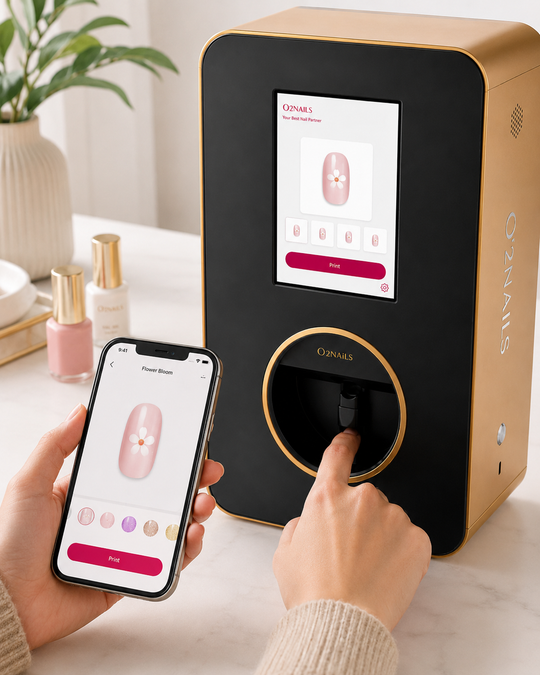
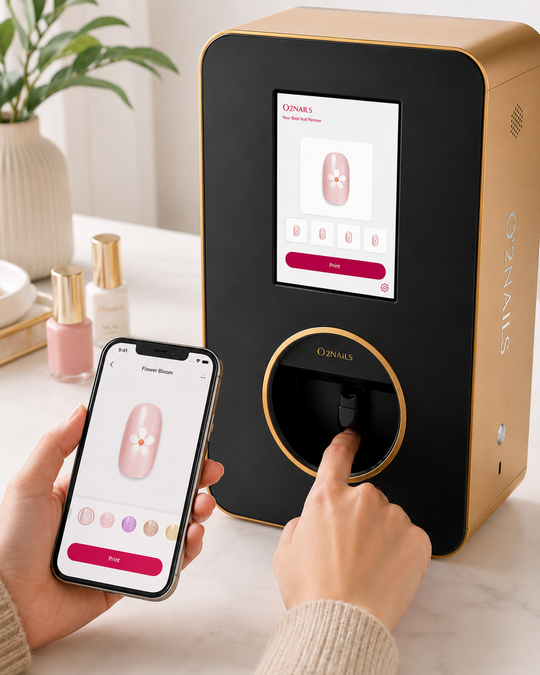
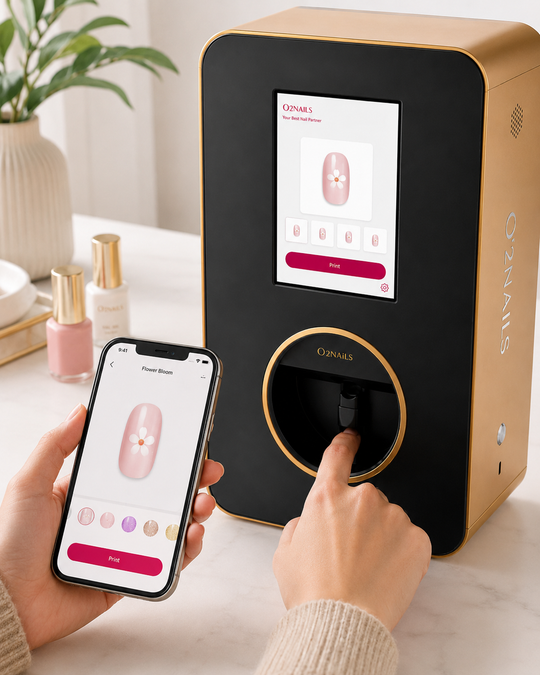
Days one and two: the hardware arrives. Setup takes under an hour. The O'2Nails app (available on iOS and Android) walks through calibration — finger placement, print alignment, a few test runs on practice nails. The first five to ten prints are practice, not billable service.
Days three through five: most owners soft-launch with a few existing clients who are open to trying something new. The prints run at the existing nail art price or complimentary. The client reaction at this stage follows a predictable pattern: surprised by the speed, curious about the design library, and asking when it becomes a regular service.
By day seven, you have hands-on data. You know how the V11 fits into your workflow. Its pocket footprint means it moves between stations without rewiring. If you installed the X12.5, you have found its wall-mount position and you can already see how it reclaims counter space that was previously occupied by tools.
One thing most owners do not expect: the calibration gets better with repetition. Week one prints are good. Week four prints are noticeably better, just from accumulated practice.
What changes in the first month?
This is where the menu engineering starts in earnest.
The practical move: set a specific add-on price, not a range. "Printed nail art: $35" lands better with clients than "nail art starts at $25." A named service at a fixed price is easier to upsell at checkout than an open-ended negotiation. Most salons land between $25 and $55 above their base service price, depending on their market and clientele. Your ROI calculator number, run against your actual service volume, gives you a real anchor.
The ink cost, for transparency: refill packs run C$673.93 for two cartridges (about C$337 each) to C$1,808.97 for six (about C$301.50 each). At the canonical estimate of approximately 70 manicure sets per cartridge, that works out to about C$3 in ink per full set, or about C$0.32 per nail. That derivation is labelled — the 100-set figure is a standard estimate and your actual yield will vary based on design complexity and how well cartridges are maintained. When your add-on price is $35, the margin structure is clear.
What most salons do in month one:
- Add a named printed nail art tier to the service menu and booking system
- Position the printer where clients can see it, with a tablet or screen showing the design library
- Track which design categories clients choose most, to identify what to feature prominently
- Start the add-on conversation at checkout: "We can add custom nail art in seconds — want to pick a design?"
What does month two and three look like?
Trial pricing is over by month two. You have real pull-rate data: how often clients say yes to the add-on, which client segments respond best, and what the average add-on revenue per session looks like.
A few patterns emerge consistently at this stage.
The repeat-booking effect. Clients who got printed nail art once tend to rebook for it specifically. It becomes a reason to return to your salon rather than try a competitor. The add-on becomes a retention mechanism, not just a revenue line.
The seasonal opportunity. Wedding season runs May through September. Salons offering custom photo nail printing — a bride's initials, a design matching the wedding palette, a party theme — can fill specialty booking slots that did not exist before. Canada Day and summer events in general tend to pull well on themed printed designs, and the X12.5's photo-grade output at approximately 38 seconds per set makes event bookings operationally viable even at volume.
The upgrade question. If you started with the V11 and you are running consistent nail art bookings, month two or three is when the X12.5 conversation starts making mathematical sense. The V11 at $2,999 CAD is the right machine for solo and two-chair salons. The X12.5 at $5,999 CAD is built for multi-chair environments — wall-mounted, higher throughput, designed for settings where multiple clients are being served simultaneously. The breakeven question runs off the same ROI model; the variable is how many add-on bookings per week your volume can sustain.
What is the one thing most salons consistently do not expect?
The support structure is what actually determines how fast the first 90 days go.
Most equipment purchases leave you with a PDF manual and a support email with unpredictable response times. NailPrinter.ca is the only official O'2Nails distributor for Canada and the USA — the authorized source of O'2Nails machines and cartridges for Canadian and US salons. When a calibration question comes up in week two, or a cartridge compatibility question surfaces in month three, there is a direct line: hello@nailprinter.ca and +1 226-499-9411.
Salons that reach out when they are stuck — rather than troubleshooting in silence — have better first-90-day outcomes. Not because the machine is complicated, but because every salon environment is slightly different, and one setting adjustment can save two weeks of suboptimal prints.
The machine is designed to run without a trained nail artist at the controls. The client selects the design. The tech positions the finger. The printer runs the print. The skill threshold is lower than the demo videos suggest, which means your whole team can operate it, not just your most experienced tech. This matters for scheduling: the printer does not go offline when your artist calls in sick.
Is a nail printer worth adding to a Canadian salon in 2026?
The honest answer: it depends entirely on your pricing and your client mix. A solo mobile tech booking 15 clients a week at $25 per add-on has a different breakeven point than a four-chair salon running 60 sessions. Both can make the math work, but they need different machines and different timelines.
The ROI calculator at nailprinter.ca/pages/roi-calculator is built for this calculation. Enter your service price, your booking volume, and your target add-on pull rate, and it shows you the breakeven timeline for both the V11 and the X12.5. That is the right tool for the decision, not a spec sheet.
NailPrinter.ca recommendation
Solo or two-chair salon new to printing: start with the V11 at $2,999 CAD. Get 90 days of real client data before considering an upgrade. The V11 financing options breaks that into four monthly payments of financing (see /pages/financing) if upfront capital is the constraint.
Multi-chair salon with 3 or more active stations: the X12.5 at $5,999 CAD is the right machine. The Financing option runs four monthly payments of financing (see /pages/financing). If you want to see the full product lineup for Canadian and US salons, nailprinter.ca/pages/o2nails-canada is the place to start.
Results vary by business, pricing, local demand, and execution. The figures above are illustrative examples, not income guarantees.
— NailPrinter Team, NailPrinter.ca · Canada's official O'2Nails distributor · hello@nailprinter.ca