By Maya · NailPrinter.ca
The most expensive mistake when you buy a nail printer isn't overpaying. It's underbuying — picking the machine that looked cheapest on the day you ordered, then paying for that choice every shift you run it. Conventional advice says "start with the cheapest option and upgrade later." For a working salon, that's usually backwards.
Short answer: The buying mistakes that cost the most aren't about the sticker price. They're about matching the printer to your real print volume, budgeting ink as a monthly line item, buying from a real North American distributor with support, and giving yourself a few hours to learn the machine before you put it in front of a paying client. Get those four right and the printer pays for itself faster. Get them wrong and a "cheap" machine becomes the priciest thing in the room.
Mistake 1: Buying on sticker price instead of cost per service
A nail printer is not a one-time purchase — it's a small production line. The number that decides whether it makes money is cost per service, not the price on the checkout page.
Here's the math owners skip. Ink runs as a monthly plan: the Starter plan is $559 for two cartridges a month, the Salon plan $839 for four, and High-Volume $899 for six. A cartridge yields roughly 70 full manicure sets, so two cartridges cover about 140 sets. That works out to a few dollars of ink per full set — well under what you'd charge for the design itself. The mistake isn't the machine price; it's never running that number before you buy, then being surprised by the ink line later. Run your own version on the ROI calculator before you commit to a model.
Mistake 2: Underbuying the model for your actual volume
This is the one that quietly costs the most. The V11 ($2,999) is a mobile, app-controlled printer built for home techs, creators, and small salons — it's genuinely the easiest way to start. The X12.5 ($5,999) is the wall-mount salon flagship: photo-grade prints in about 38 seconds, mounted out of the way so it doesn't eat your counter.
If you're a solo or mobile tech testing the waters, the V11 is the right call and over-buying the flagship is its own mistake. But if you're a multi-chair shop already turning away nail-art requests, choosing the smaller machine to save a few thousand dollars up front — and then bottlenecking on it every Saturday — is the expensive version of "cheap." Match the model to the volume you actually run, not the volume you had last year. Our which nail printer to buy guide walks the decision through both directions.
Mistake 3: Treating ink as an afterthought
Ink isn't a surprise cost — it's a planned one, the same way a hairdresser plans for colour stock. The owners who get burned are the ones who buy the machine, run hot for two weeks, then scramble when a cartridge runs dry mid-week. The fix is boring and it works: put ink on a monthly refill plan sized to your volume so you're never the salon that has to tell a client "the printer's out today."
Mistake 4: Buying from a gray-market reseller with no North American support
This is where "cheapest" gets genuinely risky. You'll find O'2Nails machines listed on overseas marketplaces and through resellers with no local presence. The unit might arrive. What doesn't arrive is anyone to call when you have a setup question, a firmware update, or a cartridge supply issue — and a salon machine you can't get support for is a machine you can't fully trust on a booked-out day.
NailPrinter.ca is the official and only North American distributor of O'2Nails. That's not a tagline — it's the difference between a same-continent contact who knows the product and an email address that answers in three days, if it answers. When you compare options, factor support into the price. It's part of what you're buying. The full picture is in our how to buy in Canada or the USA guide.
Mistake 5: Putting the printer in front of a paying client on day one
The machine is genuinely fast and genuinely easy — but the first set you print should not be on a client who's paying and watching the clock. Give yourself a couple of hours with practice tips: load a few designs, learn how the print sits on different nail shapes, get comfortable with the prep and topcoat step. Owners who skip this don't fail because the printer is hard; they fail because they introduced a new step into a live appointment and felt rushed. Two hours of practice removes the entire problem.
Mistake 6: Pricing printed nail art like it's the same service it replaces
A printed custom design takes the machine under a minute versus the 30 to 45 minutes hand-painting the same art would take. Some owners then charge the same as a plain gel set — leaving the value of the design on the table. The printer's advantage is that you can offer detailed, custom, photo-grade art as a premium add-on without the labour that used to make it impractical. How you price that is your call and depends on your market, but pricing it like nothing changed is a missed opportunity. (Results vary by business, pricing, local demand, and execution — the ROI calculator lets you model your own numbers.)
Mistake 7: Thinking the printer replaces the tech
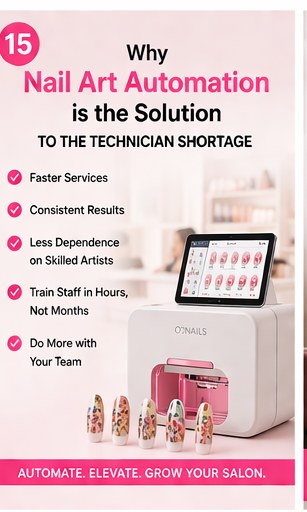
The last mistake is a mindset one. A nail printer doesn't replace a nail artist — it removes the slow, repetitive part of custom art so a skilled tech can offer more, faster, without burning out their hands. The salons that win treat it as a tool that augments the chair, not a robot that runs it. Frame it that way for your team and your clients and the printer becomes an upgrade to your service, not a threat to it.
So what's the actual "cheapest" way to buy a nail printer?
The lowest total cost over a year is: the right-sized model for your volume, ink on a plan, bought from a supported source, with a couple of practice hours before launch and a price tag on the new service that reflects its value. If cash flow is the constraint rather than the math, structured payment plans exist — the V11 is available rent-to-own at four monthly payments of $899.75 and the X12.5 at four of $1,799.75 — so "I can't drop it all at once" doesn't have to push you toward a worse machine.
NailPrinter.ca recommendation: Before you buy any nail printer, run your real numbers — your weekly nail-art requests, your service price, your ink plan — through the ROI calculator. It's the single step that prevents five of the seven mistakes above.
Run your numbers on the ROI calculator →
Frequently asked questions
What is the most common nail printer buying mistake?
Choosing a model on sticker price instead of cost per service and real print volume. A machine that's too small for a busy salon bottlenecks every peak day; a flagship is overkill for a solo tech just starting. Match the model to the volume you actually run.
How much does nail printer ink really cost?
O'2Nails ink runs on a monthly plan — $559 for two cartridges, $839 for four, $899 for six. A cartridge yields roughly 70 full manicure sets, so the ink works out to a few dollars per full set, well under what you'd charge for the design. Sizing the plan to your volume keeps you from running dry mid-week.
Should I buy a nail printer from an overseas reseller to save money?
It's the riskiest kind of "cheap." A salon machine you can't get support for is one you can't fully rely on. NailPrinter.ca is the official and only North American distributor of O'2Nails, which means same-continent support, supply, and product knowledge — factor that into the comparison.
Which nail printer should a small or mobile salon buy?
The V11 ($2,999) is built for home techs, creators, and small or mobile salons — app-controlled and portable. The X12.5 ($5,999) is the wall-mount flagship for higher-volume salons. If you already turn away nail-art requests regularly, size up; if you're testing the service, start with the V11.
Does a nail printer replace a nail technician?
No. It removes the slow, repetitive part of custom nail art so a skilled tech can offer more detailed work, faster. It augments the chair rather than replacing it — which is exactly why salons that frame it as a service upgrade get the most out of it.