The first hour with a nail printer: what unboxing videos skip
- Plan ~30–45 minutes: charge/power up, connect the app, run one calibration print.
- Your first print may look faint — that's nail prep, not a fault. Matte the surface, prime the cartridge, reprint.
- By print three or four, most owners are getting clean full sets in seconds.
The unboxing videos all end at the same moment: the lid comes off, the machine catches the light, everyone says "wow." Then the video cuts. What gets skipped is the next sixty minutes — the part where you actually plug it in, connect your phone, and watch your very first print come out a little fainter than the marketing shot. That gap is where new owners quietly panic and assume they bought a lemon. So here's the honest version of the first hour with an O'2Nails printer, calibration print included.
How long does setup actually take?
For most people, the first hour breaks down into three short blocks. Budget about 30–45 minutes of hands-on time and you'll have room to breathe.
- Power and pairing (10–15 min): Unbox, charge or plug in, install the O'2Nails app, and pair over your phone's connection. The V11 is mobile and app-controlled; the X12.5 has its own touchscreen, so you can drive it without your phone once it's mounted.
- Your first calibration print (5–10 min): Pick a simple design, prep one nail, and print. This is a test, not a client service — treat it that way and you'll relax.
- Dialing it in (10–20 min): Adjust finger placement, re-prep, and reprint once or twice. This is the part that turns "is it broken?" into "oh, that's how it works."
Nobody films block three, which is exactly why it surprises people. The machine isn't the learning curve — nail prep and placement are.
Why does the first print look faded?
This is the single most common message we get in the first 24 hours, and almost every time the printer is fine. A faint first print usually means one of two things: the nail surface was too glossy for the ink to grab, or the cartridge hasn't been primed yet after shipping.
The fix is quick. Lightly matte the nail (a gentle buff so the surface isn't slick), wipe it clean and dry, then run a quick prime pass so the ink is flowing evenly before the real print. Reprint. Nine times out of ten the second pass is crisp. We wrote up the exact sequence — matte, prime, reprint — because a customer hit this on day one and thought their machine had failed. It hadn't; it just needed prep.
Do I need any special skills to get a good first print?
No. If you already work with gel, dip, or BIAB, you have every skill that matters. The printer drops the design; you do the prep and the topcoat exactly as you would for any service. There's no drying lamp required for the print itself — the printed layer is dry — and you finish with your normal topcoat and cure step. What's new is small and mechanical: how you rest the finger, how square the nail sits under the head. That's muscle memory you build in a handful of prints, not a course you take.
What should I expect by the end of the first hour?
Realistically: one calibration print, two or three practice prints, and at least one full set you'd actually be proud to show a client. Most owners are printing clean full designs in seconds by their third or fourth attempt. You won't be fast yet — speed comes from doing it on real hands over a week — but you'll know the machine works and you'll know what "good" looks like coming off it.
A reference point that helps with expectations: a single cartridge runs roughly 70 manicure sets, so your practice prints in that first hour cost you a few cents of ink, not a fortune. Print freely. Practice is cheap; hesitation is what slows people down.
The five-minute setup mistakes that cost people an afternoon
- Treating the first print as a client service. It's a calibration test. Do it on a practice tip or your own nail, not a paying client at 9am on launch day.
- Skipping the matte step. Glossy nails make ink bead. Thirty seconds of buffing fixes most "faded print" complaints before they happen.
- Not priming the cartridge. After shipping, ink needs a pass to flow evenly. Prime, then print.
- Rushing the app pairing. Connect on a stable signal, let the design library load fully, and you'll avoid the "design won't send" confusion.
- Printing in a rush before topcoat. The print is dry, but it still needs your normal topcoat and cure to wear like a real service.
Which machine makes the first hour easiest?
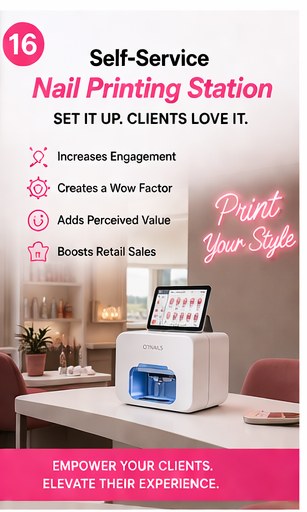
Both are designed to be running in under an hour, but they suit different starts. The O'2Nails V11 ($2,999 CAD) is the simplest on-ramp — pocket-footprint, app-controlled, ideal for home techs, creators, and small salons taking their first step. The O'2Nails X12.5 ($5,999 CAD) is the wall-mounted salon flagship with photo-grade prints in about 38 seconds and its own touchscreen, so a multi-chair shop can run it without tying up a phone. If you're not sure which fits your chair count and volume, our buying guide walks through it without the sales pitch.
One thing worth saying plainly, because it matters when something doesn't go right in that first hour: NailPrinter.ca is the only North American O'2Nails distributor. If your calibration print stumps you, you email hello@nailprinter.ca and reach a North American team in your time zone — not an overseas queue. You can also read more setup and troubleshooting answers in our knowledge base.
NailPrinter.ca recommendation
Block off 45 quiet minutes for your first session, not five rushed ones between clients. Run a calibration print, expect the first one to look soft, and fix it with matte-prime-reprint before you decide anything about the machine. By the time you've done four prints, the "did I make a mistake?" feeling is gone — and that's the only real hurdle in the first hour.
FAQ
How long does it take to set up a nail printer?
About 30–45 minutes for most people: roughly 10–15 minutes to power up and pair the app, then a calibration print and a couple of practice prints to dial in placement.
Why did my first nail print come out faded?
Usually the nail was too glossy or the cartridge wasn't primed after shipping. Lightly matte the nail, prime the cartridge, and reprint — the second pass is almost always crisp.
Do I need training to use a nail printer?
No formal training. If you already do gel, dip, or BIAB you have the skills. The print is automatic; you handle prep, placement, and your normal topcoat and cure.
How many prints do I get per cartridge?
Roughly 70 manicure sets per cartridge, so first-hour practice prints cost only a few cents of ink each. Print as much as you want while you learn.
Does the printed design need a drying lamp?
The printed layer itself is dry — no lamp needed for the print. You then apply and cure your normal topcoat exactly as you would for any gel service.
What if something goes wrong during setup?
Email hello@nailprinter.ca. As the only North American O'2Nails distributor, support is in your time zone, not overseas.
Next step
Not sure whether the V11 or X12.5 fits your first hour — and your first month? Read the no-pressure buying guide before you decide.
Read the nail printer buying guide →
— Maya, NailPrinter.ca