What's the best portable nail printer for mobile techs?
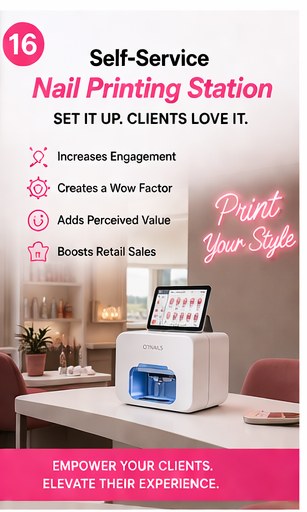
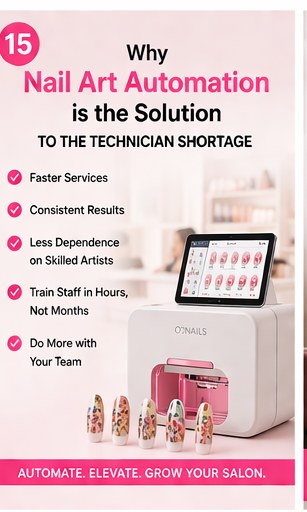
Short answer: The O'2Nails M1 ($899) is the best portable nail printer for mobile nail technicians. At 0.5 kg and USB-C powered, it fits any kit bag, runs off a phone power bank, and delivers the same 2,400 DPI photoreal print quality as the salon-grade machines.
Why the M1 dominates mobile work
Three reasons:
1. Weight. 0.5 kg vs the H1's 1.0 kg. That extra 500 grams matters when you're carrying the kit between four house calls a day.
2. USB-C power. Standard 5V/2A — runs off any phone power bank. A 20,000 mAh Anker pack delivers ~8 full sets between charges. No client home with no convenient outlet, no problem.
3. Drop-tolerance. The ABS chassis survives a packed kit bag better than aluminum. Aluminum dents on impact; ABS flexes and recovers.
Battery life — real-world numbers
Three power-source scenarios mobile techs actually use:
- Standard USB-C wall outlet: Unlimited print volume. The M1 draws 10W while printing — less than your phone charger.
- 20,000 mAh power bank: ~8 full ten-finger sets per charge. Enough for a full bridal day.
- Laptop USB-C port: Yes, the M1 will run off a MacBook Pro / similar in a pinch (though most laptops disable USB-C power output when running on battery).
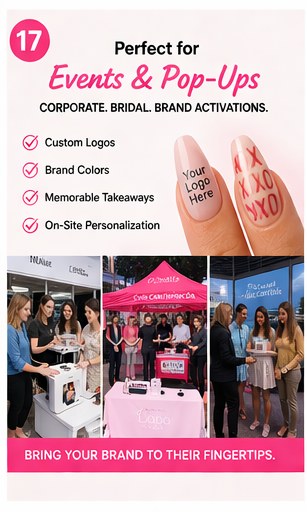
For multi-day events (weddings, festivals, corporate activations), bring two power banks and rotate. Total kit weight stays under 3 kg.
Car-to-client setup time
Most experienced mobile techs complete the full setup at a client's home in under 10 minutes:
- 0:00 — arrive, set kit on dining table or kitchen counter
- 0:30 — plug power bank into M1, turn on Flip LED to verify cure
- 1:00 — open companion app, connect M1 to your phone hotspot
- 1:30 — show client design library, let her pick
- 3:00 — begin cuticle prep + base coat
- 6:00 — apply nail-guard stickers
- 7:00 — print first nail (~40 sec on the M1)
- ~13:00 — print all 10 nails
- ~17:00 — top coat + cure, peel guards, take payment
Compare to 60-90 minutes for hand-painted equivalent art. The math is what lets you raise your in-home ticket from $80 to $120 and still book full days.
Pricing per house-call
Most mobile techs charge a 20-40% premium over equivalent salon work because of the convenience. With the M1, the math becomes:
- Your time: 17 minutes per appointment
- Travel: 20-30 min between bookings (already priced into your in-home premium)
- Cost per set: ~$8 (cartridge consumable + base/top coat)
If you charge $120 per in-home printed-art set, you net ~$112 per set. At 4 appointments/day × 4 days/week = 64 appointments/month, that's a margin trajectory paying back the M1 in roughly 8 days.
Insurance + transport tips
Three pro tips from mobile techs running M1s in their second year:
1. Add a "professional equipment" rider to your auto insurance. Most homeowner's policies don't cover business equipment in transit. A small rider on your auto policy covers $500-$2,000 of equipment for ~$3-5/month.
2. Keep the M1 in its original padded sleeve in transit. The original packaging is the best protection. Don't toss it.
3. Carry a backup Wi-Fi hotspot. The M1 needs Wi-Fi to pair with the app. Your phone's hotspot works, but in client homes with bad cell signal, a dedicated hotspot ($50/month unlimited data) saves the day.
What about the H1 instead?
The H1 ($1,099) is the M1's premium aluminum sister. Same print engine, slightly faster (~35 vs ~40 seconds per nail), 1-year warranty (vs 6-month). The aluminum chassis photographs better but weighs twice as much (1.0 vs 0.5 kg).
Pick the H1 over the M1 if: luxury bridal work, content creation where the printer is on-camera, or you need the 1-year warranty for business-insurance coverage.
Pick the M1 if: pure mobile workflow, weight matters, or you're price-sensitive. For 80% of mobile techs the M1 is the right call.
Read the full mobile-tech kit guide at /blogs/news/mobile-nail-tech-travel-kit-m1.
Where to start
Browse the M1 at /products/o2nails-m1. Compare M1 vs H1 in the lineup at /pages/compare.
The NailPrinter team · Official North American Distributor of O'2Nails