Nail printer guide

Multi-chair salon nail printer setup: the 3-printer workflow

April 25, 2026 NailPrinter.ca 3 min read
NailPrinter.ca — multi-chair salon nail printer setup
Jump to a section

    How many nail printers does a busy salon need?

    Short answer: One unit per 3-5 chairs handling nail-art work. A 5-chair salon running 60-90 nail-art appointments/month typically needs one V11 ($2,999) on a dedicated nail-art station, with the option to add a second V11 as backup during peak hours — or to step up to the X12.5 ($5,999) if you are consistently running at capacity.

    The throughput math at typical salon volumes

    One V11 prints a full ten-finger set in roughly 5 minutes (aboutseconds per nail). Add 5 minutes prep + cure = a 10-12 minute per-appointment workflow. At an 8-hour salon day with 1 hour of breaks/setup, you can run roughly 35 nail-art appointments per day per printer.

    Most multi-chair salons don't run 35 nail-art sets per day — but many run 8-15. So one printer comfortably handles your peak day with capacity to spare. Add a second printer, or move up to the X12.5, only when you hit consistent 25+ daily nail-art appointments.

    Floor-plan placement

    Three common configurations:

    Option A — Dedicated nail-art station. Set up one nail station as the "art station" with the V11 on it. Clients book a "printed nail-art set" service tier and rotate through this station. Best for salons that want clean booking-system separation.

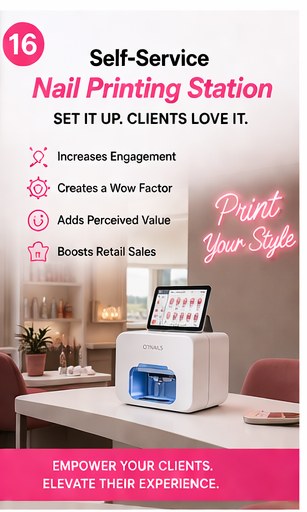
    Option B — Front-of-bench display. A V11 on the front of every nail station — compact enough to sit in the client's eyeline. Clients see it, ask about it, book it. Best for salons positioning on premium aesthetic.

    Option C — Wall-mount centerpiece. X12.5 mounted on the salon's main wall, usable from any station via the companion app. Best for "destination salons" where the printer is part of the brand experience.

    Note on older models: earlier versions of this guide recommended the V12 and X11 Plus. Both have been discontinued and are no longer sold — the V11 and X12.5 are the current lineup.

    Staff onboarding day 1-7

    • Day 1: 30-min team session — unbox, install app on every tech's phone, run 3 calibration prints together
    • Day 2-3: Each tech does 5 "test" prints on press-on tips before going live with clients
    • Day 4-5: Live client appointments — owner shadows the first 2-3 to catch workflow issues
    • Day 6-7: Team huddle — what's working, what's confusing, what cartridge / consumable orders to set up

    Most salons report every senior tech is "comfortable running the printer solo" by day 3. Junior techs typically need 5-7 days to feel confident.

    Inventory + cartridge stock

    For a salon running 60-90 nail-art sets/month:

    • Cartridges: 1 cartridge lasts ~1,000 nails (100 sets). At 90 sets/month you'll burn through one every 5 weeks. Keep 2 spare cartridges on hand at all times.
    • Print gel + top gel: The starter set lasts ~6 weeks at this volume. Reorder both every 5 weeks.
    • Nail-guard stickers: 100-pack lasts ~3 weeks. Reorder monthly.
    • LED lamp: The included lamp is rated for 50,000 cures (years of use). No replacement needed.

    Set up a recurring cartridge subscription with us for 12% off — most multi-chair salons do this after their second order.

    Upsell scripts that work

    Train your front desk to offer printed nail art as the default upsell on every standard manicure booking:

    "Your manicure today is $45. Want me to add a printed nail-art set on top? It's $35 extra, takes about 10 extra minutes, and you can pick from any photo on your phone or our 5,000 designs."

    The conversion rate on this offer is typically 25-40% in the first 3 months as clients become curious. After 6 months it stabilizes around 50-60% (clients book for the printed art specifically).

    The math at multi-chair volume

    For a 5-chair salon running 75 nail-art sets/month:

    • Hand-painted: $1,500 cost-of-art, $6,000 monthly nail-art revenue, $4,500 margin
    • With a V11 ($2,999): $735 cost-of-art, same $6,000 revenue, $5,265 margin
    • Margin lift: $765/month
    • Payback: about 3.9 months at this volume on cost-of-art savings alone

    Plus the booking-lift effect: salons typically report 30%+ of existing clients book printed nail art specifically once the printer is on the floor — incremental revenue not in the math above, and usually the bigger half of the return. Model both together on the ROI calculator.

    Where to start

    Most multi-chair salons should start with the V11 ($2,999) on a dedicated nail-art station. Read the V11 deep-dive at /products/o2nails-v11. Compare it against the X12.5 at /pages/compare. See the full ROI math at /blogs/news/nail-printer-roi-math.

    The NailPrinter team · Official North American Distributor of O'2Nails
    Share

    ← Back to all articles

    {"@context":"http:\/\/schema.org\/","@id":"\/blogs\/news\/multi-chair-salon-nail-printer-setup#article","@type":"Article","mainEntityOfPage":{"@type":"WebPage","@id":"https:\/\/nailprinter.ca\/blogs\/news\/multi-chair-salon-nail-printer-setup"},"articleBody":"How many nail printers does a busy salon need?\nShort answer: One unit per 3-5 chairs handling nail-art work. A 5-chair salon running 60-90 nail-art appointments\/month typically needs one V11 ($2,999) on a dedicated nail-art station, with the option to add a second V11 as backup during peak hours — or to step up to the X12.5 ($5,999) if you are consistently running at capacity.\n\nThe throughput math at typical salon volumes\nOne V11 prints a full ten-finger set in roughly 5 minutes (aboutseconds per nail). Add 5 minutes prep + cure = a 10-12 minute per-appointment workflow. At an 8-hour salon day with 1 hour of breaks\/setup, you can run roughly 35 nail-art appointments per day per printer.\nMost multi-chair salons don't run 35 nail-art sets per day — but many run 8-15. So one printer comfortably handles your peak day with capacity to spare. Add a second printer, or move up to the X12.5, only when you hit consistent 25+ daily nail-art appointments.\n\nFloor-plan placement\nThree common configurations:\nOption A — Dedicated nail-art station. Set up one nail station as the \"art station\" with the V11 on it. Clients book a \"printed nail-art set\" service tier and rotate through this station. Best for salons that want clean booking-system separation.\nOption B — Front-of-bench display. A V11 on the front of every nail station — compact enough to sit in the client's eyeline. Clients see it, ask about it, book it. Best for salons positioning on premium aesthetic.\nOption C — Wall-mount centerpiece. X12.5 mounted on the salon's main wall, usable from any station via the companion app. Best for \"destination salons\" where the printer is part of the brand experience.\nNote on older models: earlier versions of this guide recommended the V12 and X11 Plus. Both have been discontinued and are no longer sold — the V11 and X12.5 are the current lineup.\n\nStaff onboarding day 1-7\n\n \nDay 1: 30-min team session — unbox, install app on every tech's phone, run 3 calibration prints together\n \nDay 2-3: Each tech does 5 \"test\" prints on press-on tips before going live with clients\n \nDay 4-5: Live client appointments — owner shadows the first 2-3 to catch workflow issues\n \nDay 6-7: Team huddle — what's working, what's confusing, what cartridge \/ consumable orders to set up\n\nMost salons report every senior tech is \"comfortable running the printer solo\" by day 3. Junior techs typically need 5-7 days to feel confident.\n\nInventory + cartridge stock\nFor a salon running 60-90 nail-art sets\/month:\n\n \nCartridges: 1 cartridge lasts ~1,000 nails (100 sets). At 90 sets\/month you'll burn through one every 5 weeks. Keep 2 spare cartridges on hand at all times.\n \nPrint gel + top gel: The starter set lasts ~6 weeks at this volume. Reorder both every 5 weeks.\n \nNail-guard stickers: 100-pack lasts ~3 weeks. Reorder monthly.\n \nLED lamp: The included lamp is rated for 50,000 cures (years of use). No replacement needed.\n\nSet up a recurring cartridge subscription with us for 12% off — most multi-chair salons do this after their second order.\n\nUpsell scripts that work\nTrain your front desk to offer printed nail art as the default upsell on every standard manicure booking:\n\"Your manicure today is $45. Want me to add a printed nail-art set on top? It's $35 extra, takes about 10 extra minutes, and you can pick from any photo on your phone or our 5,000 designs.\"\nThe conversion rate on this offer is typically 25-40% in the first 3 months as clients become curious. After 6 months it stabilizes around 50-60% (clients book for the printed art specifically).\n\nThe math at multi-chair volume\nFor a 5-chair salon running 75 nail-art sets\/month:\n\n Hand-painted: $1,500 cost-of-art, $6,000 monthly nail-art revenue, $4,500 margin\n With a V11 ($2,999): $735 cost-of-art, same $6,000 revenue, $5,265 margin\n Margin lift: $765\/month\n \nPayback: about 3.9 months at this volume on cost-of-art savings alone\n\nPlus the booking-lift effect: salons typically report 30%+ of existing clients book printed nail art specifically once the printer is on the floor — incremental revenue not in the math above, and usually the bigger half of the return. Model both together on the ROI calculator.\n\nWhere to start\nMost multi-chair salons should start with the V11 ($2,999) on a dedicated nail-art station. Read the V11 deep-dive at \/products\/o2nails-v11. Compare it against the X12.5 at \/pages\/compare. See the full ROI math at \/blogs\/news\/nail-printer-roi-math.\n\nThe NailPrinter team · Official North American Distributor of O'2Nails\n","headline":"Multi-chair salon nail printer setup: the 3-printer workflow","description":"How many printers does a 5-chair salon need? Floor-plan placement, staff onboarding day 1-7, and the inventory + cartridge stock.","image":"https:\/\/nailprinter.ca\/cdn\/shop\/articles\/np_tile_14_0ed5467c-6a53-4444-a232-4cb94f3a9ff6.jpg?v=1778455377\u0026width=1920","datePublished":"2026-04-25T20:23:42-04:00","dateModified":"2026-04-25T20:23:42-04:00","author":{"@type":"Person","name":"NailPrinter Team"},"publisher":{"@type":"Organization","name":"NailPrinter"}}